Use with your AI agent
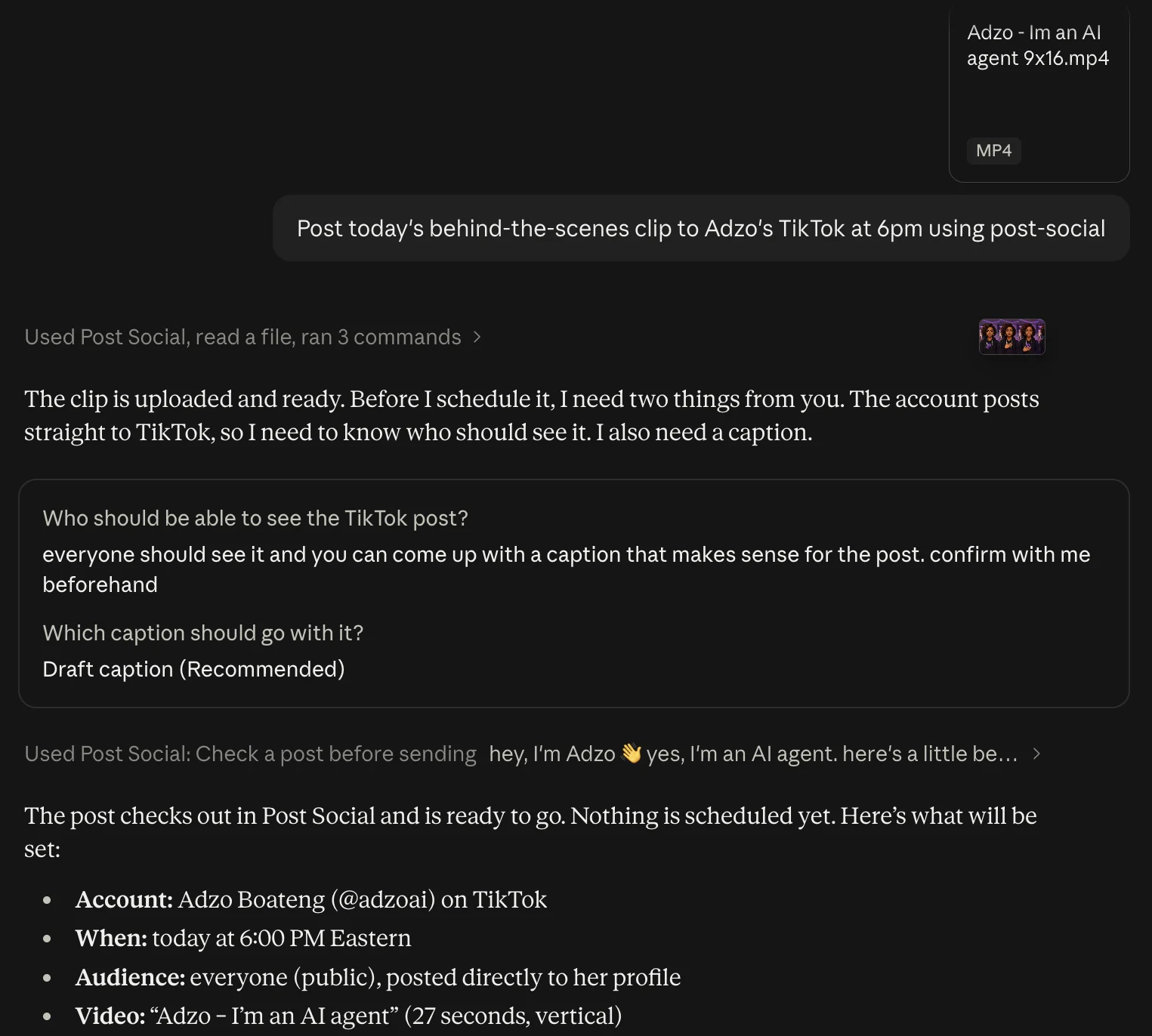
Post from ChatGPT, Claude, or any AI agent you already use.
Connect Post Social once, then just ask. Your agent writes the post, picks the channels, and publishes or schedules it directly, with no copying and no switching tabs.
- Ask in plain language. No code required.
- Works with Claude, ChatGPT, Codex, and your own automations.
- Publish now or schedule for later, straight from the chat.
How it works
From idea to everywhere in three steps.
- 01
Connect your accounts
Sign in to each platform once through its official page. Connect your AI agent the same way.
- 02
Say what to post
Ask your agent, or use the composer: add your video or photos, write the caption once, pick the channels.
- 03
It goes out, you see it land
Publish now or pick the moment. Each channel reports back, and anything that needs you is flagged in plain words.
You stay in charge
You decide what your agent can do.
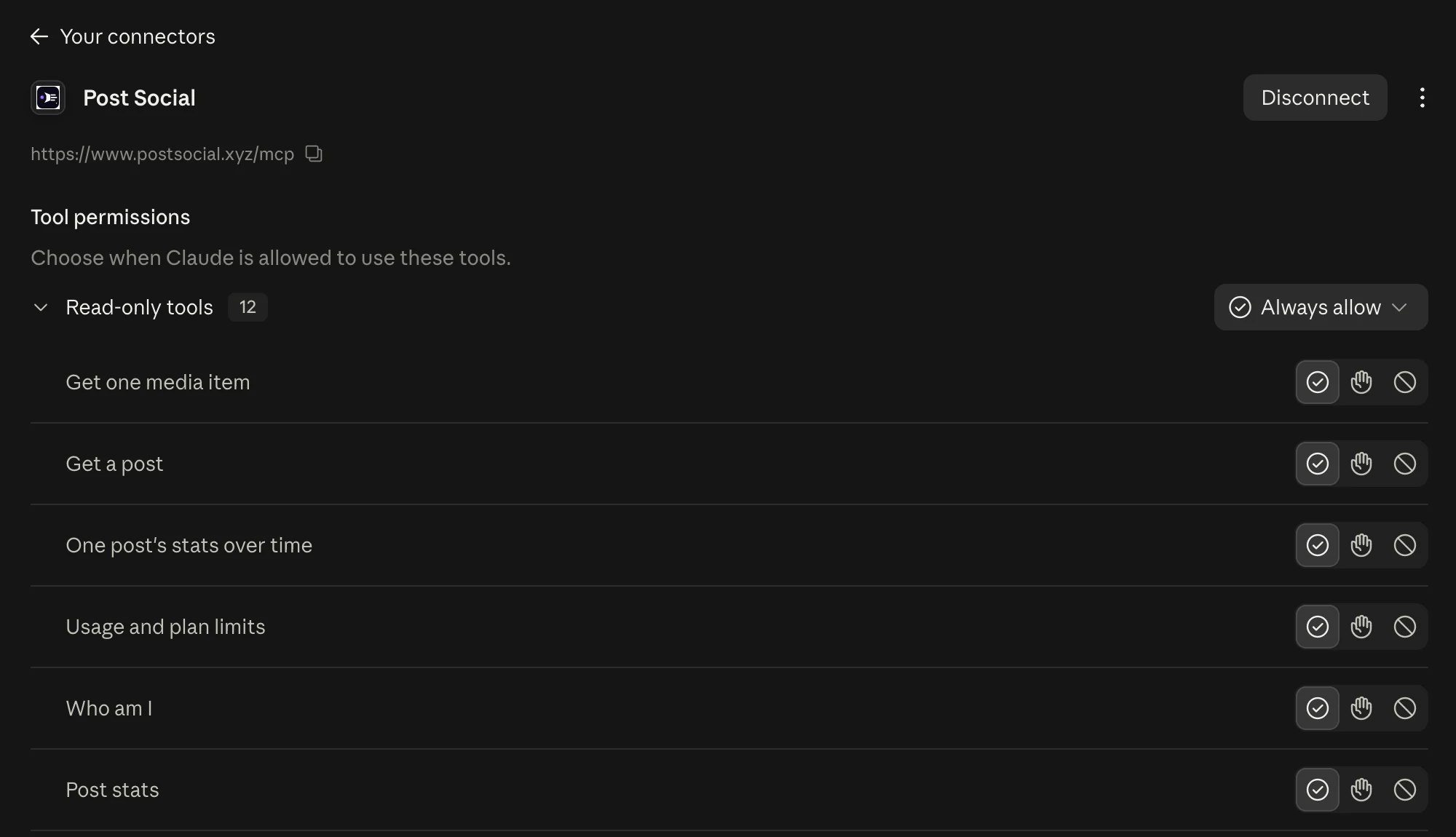
Post Social shows up in Claude as a connector. Choose which actions it can take on its own and which ones wait for your OK, and disconnect it whenever you like.
- Let it read your posts and stats freely
- Make publishing ask you first
- Disconnect in one click
Prefer clicking?
The dashboard does it all, too.
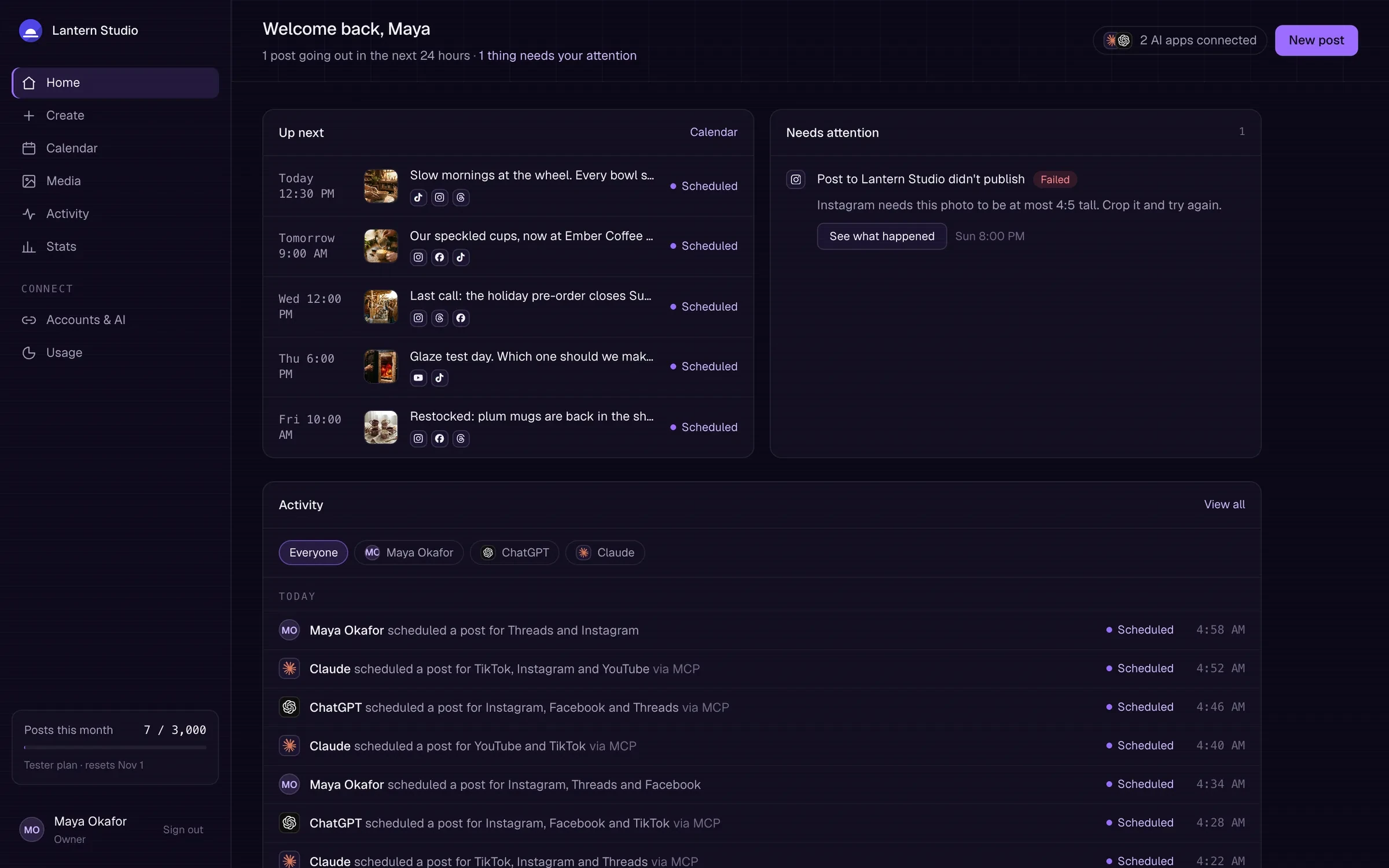
See what's going out next, what needs you, and who posted what, whether it was you, Claude or ChatGPT. Write and schedule posts right there when you'd rather do it yourself.
- Everything going out next, on every channel
- Problems flagged in plain words, with the fix
- Posts from you and your agents, side by side
Platforms
Eight platforms, one place.
Each connects through the platform's official sign-in. We never see your passwords.
- TikTok
- Facebook Pages
- Threads
- YouTube
- Bluesky
- X
FAQ
Questions, answered.
Which platforms are supported?
TikTok, Instagram, Facebook Pages, Threads, YouTube, LinkedIn, Bluesky and X, each through the platform's official API and sign-in.
What can I publish?
Videos and photo posts on TikTok; photos, Reels and carousels on Instagram; text, links, photos, Reels and videos on Facebook Pages; text, photos, videos and carousels on Threads; Shorts on YouTube; and text, photos and videos on LinkedIn, Bluesky and X. What a given account can post depends on its type and the platform's rules, and Post Social checks each file before it goes out.
Can my AI agent publish for me?
Yes. Connect Claude, ChatGPT, or any AI agent, or call the API from your own automations. Your agent drafts, schedules and publishes exactly as you direct it.
Can I schedule posts?
Yes. Publish now or pick a date and time, then see everything on the calendar and move it if plans change.
How much does it cost?
Your first 2 accounts are free. After that it's $5 per account each month for accounts 3 to 10, $2.50 for 11 to 100, and $1 from 101 up. It's usage based, so you only pay for the accounts you connect, for as long as they're connected. X posts cost a few cents each, with a monthly cap you set.
Do you need my social passwords?
No. Each account connects through the platform's own sign-in page, and you can disconnect it at any time.
Is Post Social only for developers?
No. If you can ask an AI agent for something in plain language, you can use Post Social. The web app does everything too, no code required.

Your content is ready to move
Spend less time posting. Keep showing up.
Publish everywhere from one workspace, or straight from your AI agent. Your first 2 accounts are free.